WordNet UML model
by: Bernard Bou
This is a diagram or flowchart that illustrates the process of creating a software program. It consists of multiple steps, each labeled with a different color and written in a different language. The colors used are blue, orange, red, and purple. The text on the chart is written in both English and another language, indicating that it may be intended for an international audience or for use in a multicultural setting. The flowchart starts with the first step labeled "Design," which is followed by several other steps such as "Development," "Testing," and "Deployment." Each of these steps has sub-steps, indicating that there are multiple tasks involved within each phase of the process. The chart also includes a section for "Maintenance" at the end, suggesting that once the software is deployed, it will require ongoing support to ensure its functionality and performance. Overall, this flowchart provides a clear visual representation of the steps involved in creating a software program, from initial design to final deployment and maintenance.
This is a completely free image WordNet UML model that you can download, post, and use for any purpose.
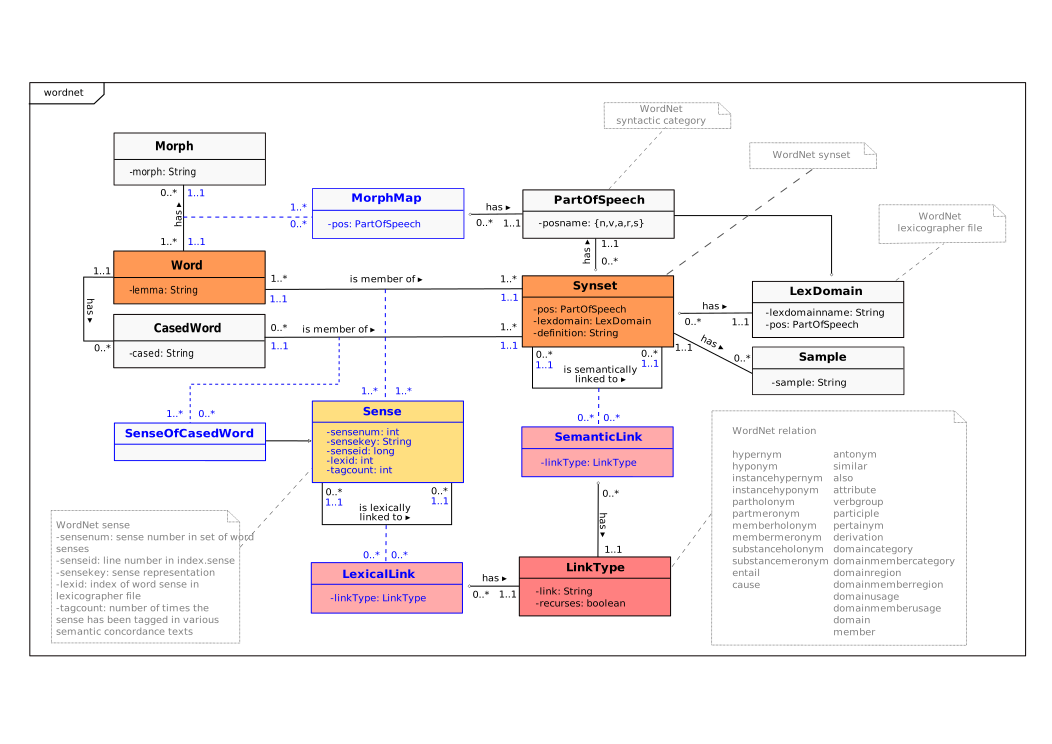
SVG files are the highest quality rendering of this drawing, and can be used in recent versions of Microsoft Word, PowerPoint, and other office tools.
Download as PNG File 1052px x 744px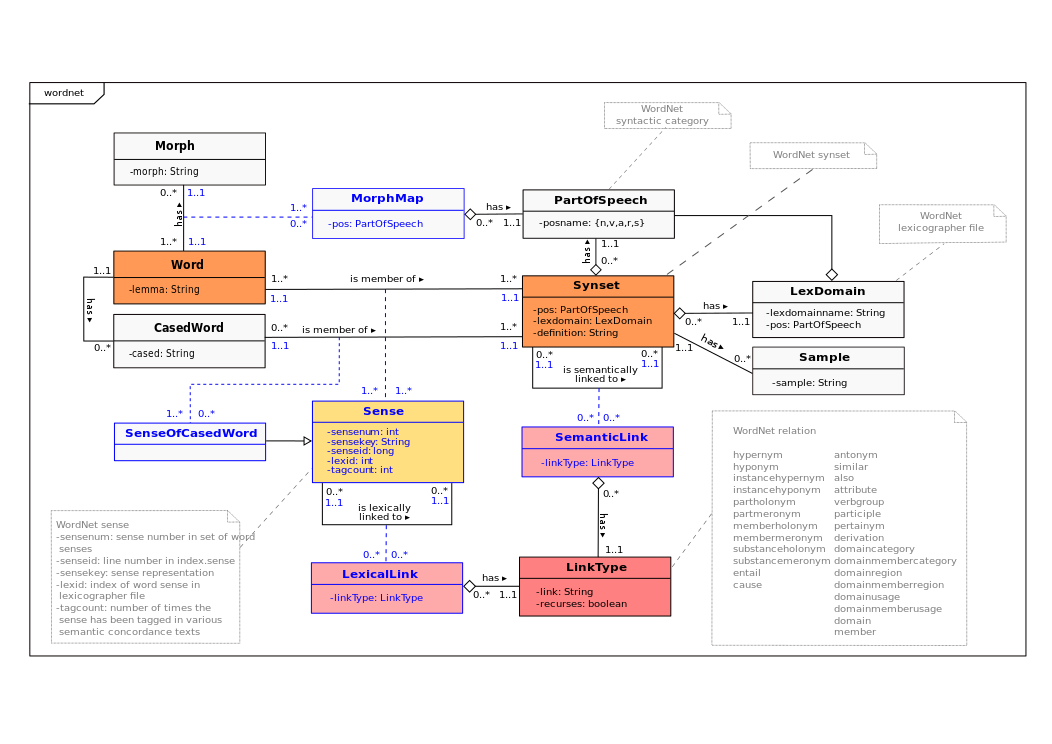
PNG files are the most compatible. Use this on your web page, in your presentation, or in a printed document.
Download as Word DocumentA Word document (docx) containing just the image. Ready to use in Microsoft Word, or LibreOffice.